TrustedPause
SMS opt-in
This is the same step an Approver completes during setup, after an account is created. An Approver is your trusted person: family, a friend, or a caregiver. You can read this page with no login and no payment. The checkbox starts unchecked. TrustedPause saves a mobile number only when a signed-in account holder checks the box and saves it on that step.
What the texts are
- Who sends the texts: TrustedPause.
- What they are for: Approval requests and account/security messages. They are not marketing.
- How often: Message frequency varies. Texts are triggered by the senior's activity, plus one confirmation when someone opts in.
- Rates: Msg & data rates may apply.
- Opt out and help: Reply STOP to opt out. Reply HELP for help.
The setup step
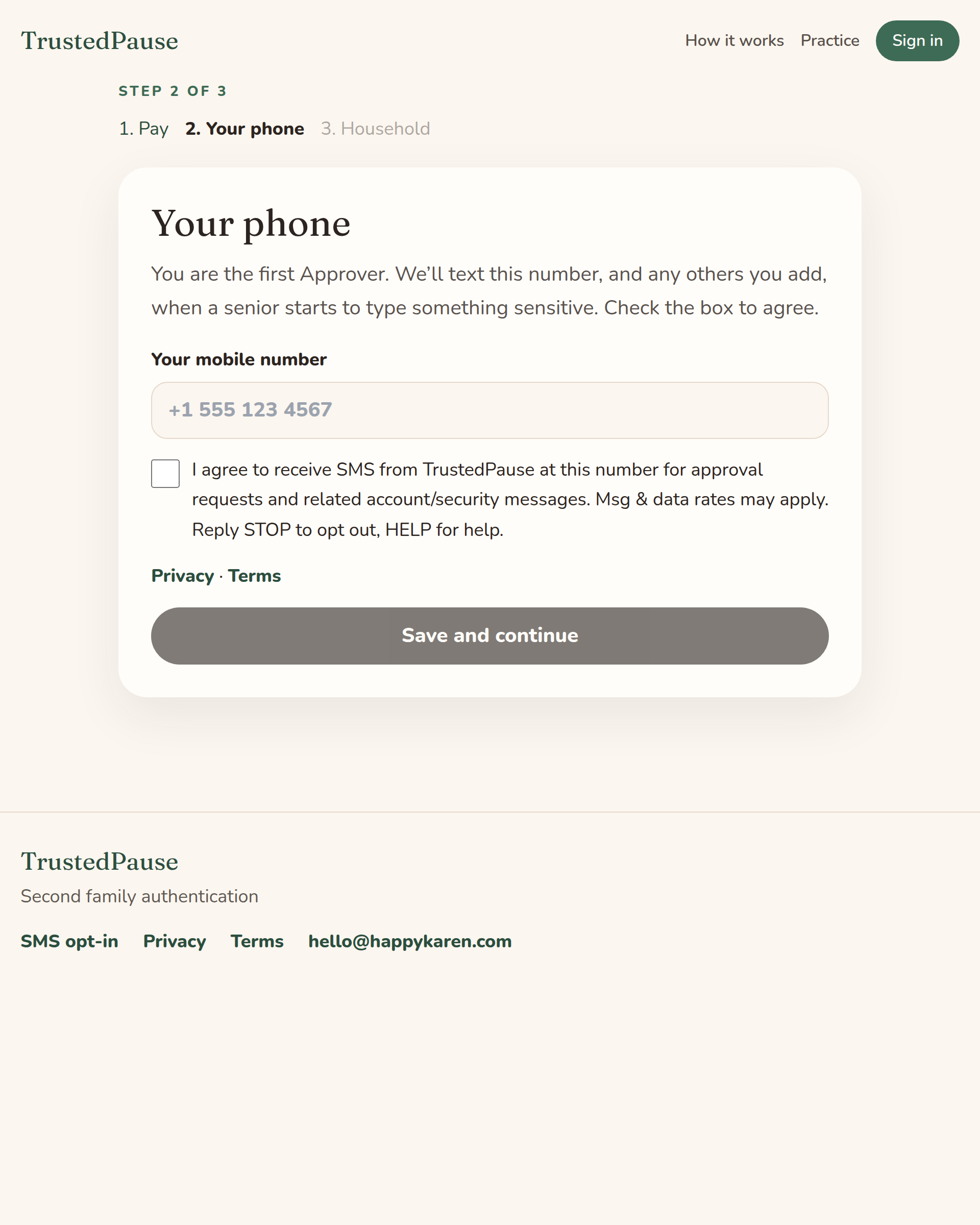
During setup this is step 2, Your phone. The form below is that step. The box is required and starts unchecked. Submitting it on this page does not save a number and does not send a text.
Your phone
You are the first Approver. We’ll text this number, and any others you add, when a senior starts to type something sensitive. Check the box to agree.
Create an account to complete this step in setup.
Sample messages
TrustedPause sends these texts to each Approver. An Approver is your trusted person. An approval text is the yes-or-no request: it names the senior, the website, and the kind of field. It does not include what was typed. The link in the samples is an example, not a live request.
Confirmation after you opt in
TrustedPause: you’re opted in for approval texts. Reply STOP to opt out, HELP for help.
Approval request: credit card
TrustedPause: Mom, Credit card on chase.com. Yes or no (2 min): https://trustedpause.com/a/example
Approval request: Social Security number
TrustedPause: Dad, Social Security number on ssa.gov. Yes or no (2 min): https://trustedpause.com/a/example
Screenshot of setup
This is the phone field, the unchecked consent box, and the consent text inside signed-in setup.